 Video Tracker
Save videos from websites
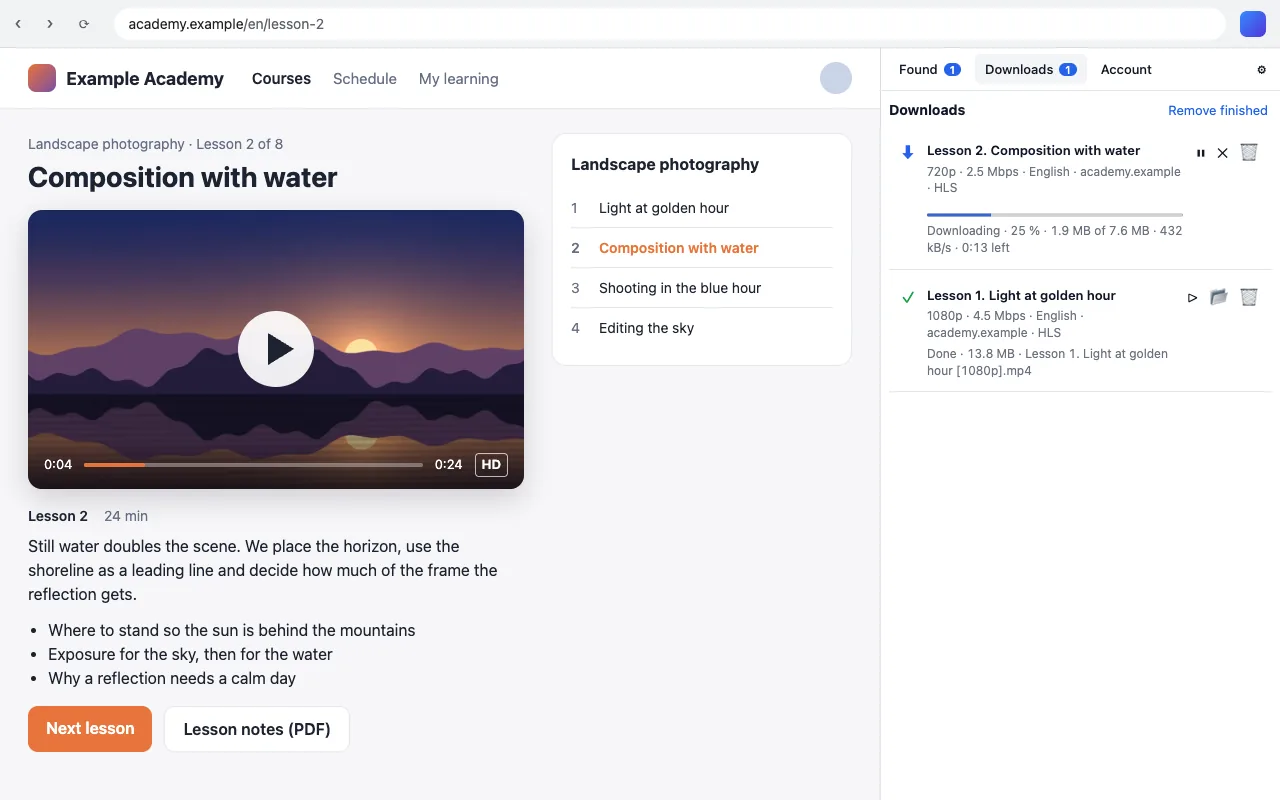
Open a page and Video Tracker finds the video. No ads, no waiting, nothing else to install — just install it and go.
- No ads
- Works out of the box
- Free plan forever
No ads. None at all.
No banners, pop-ups, «wait 30 seconds» timers or captchas — not in the free plan either. Video Tracker lives on the Pro subscription, not on ads.
Works out of the box
Everything it needs is already inside: it assembles streams, joins video and audio and saves a ready mp4. No codecs, plug-ins, command lines or settings to figure out first.
Three steps, no instructions needed
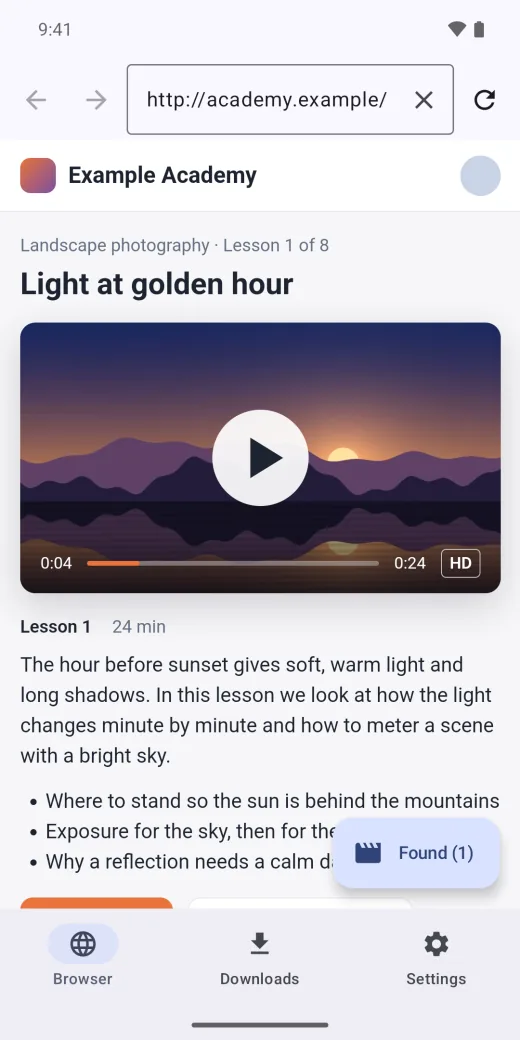
Open the page
In the app or in your browser with the extension — the way you always do. The «Found» counter lights up when there is a video.
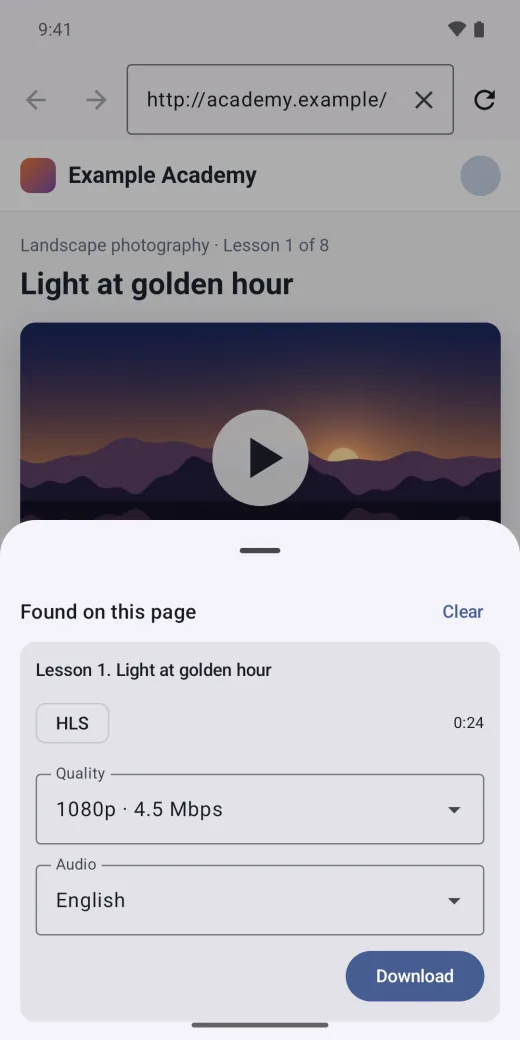
Choose quality and audio
1080p or something lighter, the audio track you want — before the download starts.
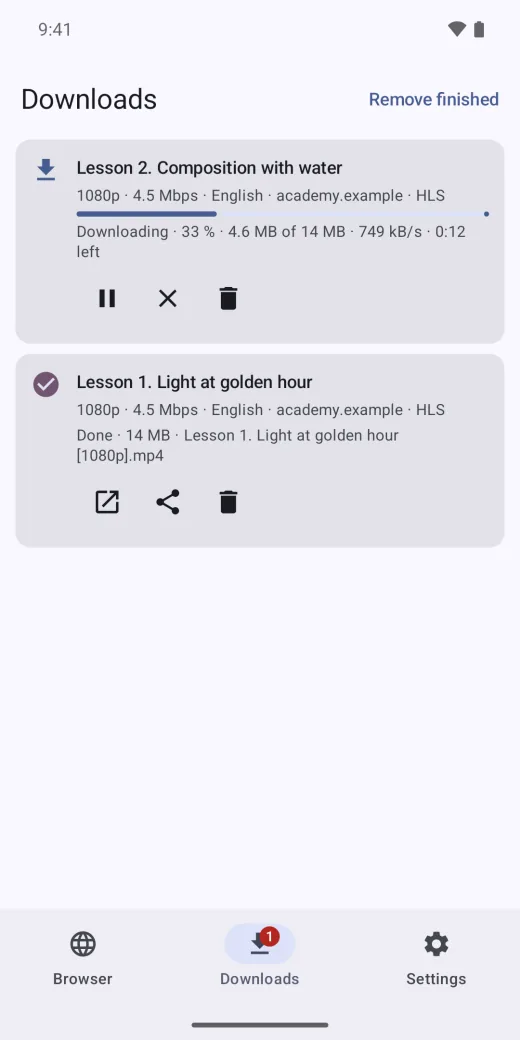
Get an mp4
The file lands in your downloads. Pause, resume after a lost connection, a clear message if something goes wrong.
What it can do
Finds what the player plays
HLS and DASH streams, files, embedded players — the video is found on the page and saved as mp4.
Behind a login too
Courses and cinemas you are signed in to: the app uses the logins of your browser.
Quality and audio tracks
Every quality the site offers and every audio track — dubbing, original, commentary.
Pause and resume
The connection dropped or the laptop went to sleep — the download carries on from where it stopped.
Files stay with you
Videos download straight to your device, not through our servers. No sign-up needed.
One account, every device
Mac, Android, Chrome extension, and Safari extension. With Pro, files in the cloud show up on all your devices.
Download Video Tracker
Install it and it works: everything is already inside.
Mac
The app for your Mac
Android
Phones, tablets and Android TV — one app
Chrome extension
For Windows and Linux — in Chrome, Edge, Opera and Yandex Browser
Safari extension
The extension for Safari on a Mac
The file versions (Mac and the Android APK) work with more sites than the versions from the stores, which follow the store rules.
Plans
Free
- No ads
- Every supported site and format
- Any quality, every audio track and subtitles
- Pause and resume after a dropped connection
- Files go straight to your device
- One download at a time
Pro
- No ads
- Any number of downloads at once
- Cloud storage: your files on all your devices
- Links to your files — share them with anyone
- Download to the cloud: the server downloads, your device can be off
- Downloads right on the website, in your account
- Bookmarks synced across your devices
- Watch your cloud on a TV with Android TV
Renews every year — cancel any time. Terms of use · Payment and refunds
Get ProQuestions
Is it really free and ad-free?
Yes. The free plan has no ads and no limits on sites or quality — just one download at a time, on your own device. Pro adds parallel downloads and everything that runs on our servers: the cloud with your files on all your devices and downloading to the cloud.
Do I need to install anything else?
No. Whatever is needed to assemble and join video is already inside the app and the extension. Install Video Tracker and it works.
Which sites does it work with?
Wherever the video plays in an ordinary player: HLS and DASH streams, mp4 and webm files, embedded players, courses and cinemas you are signed in to. DRM-protected video is not downloaded — Video Tracker says so.
Do I need an account?
No, everything works without signing in. An account is for Pro: the cloud and your files on all your devices.
What about Windows?
On Windows and Linux the Chrome extension works today. A separate Windows app is on the way.
Is it legal?
Video Tracker is a tool, like a «Save» button. Download what you have the right to: your own videos, open materials, courses that allow saving. Respect the rules of the sites and the authors. Terms of use
What about my data?
Without signing in we know nothing about you, and videos never pass through us. The details are in the privacy policy. Privacy policy